AzDO Service Connection - failed to rotate secrets
by Ivan
TL/DR
If you get a One or more issues occurred while trying to rotate service endpoint secrets… - create a new service connection with the same settings and do a clean pipeline run.
Just another Monday morning
- Hey Ivan, the pipeline started failing during the weekend and we urgently need it for a release
Sure I can. It’s a project I just recently inherited and only have a basic idea on the setup, all running on Azure with the code and pipelines on Azure DevOps.
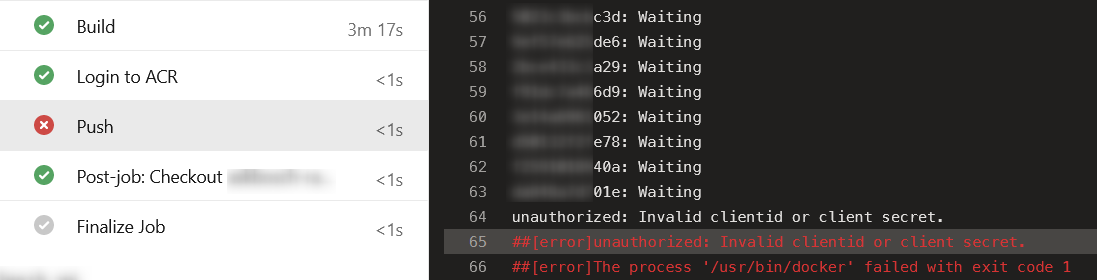
Pipeline failed during Docker push stage like so:
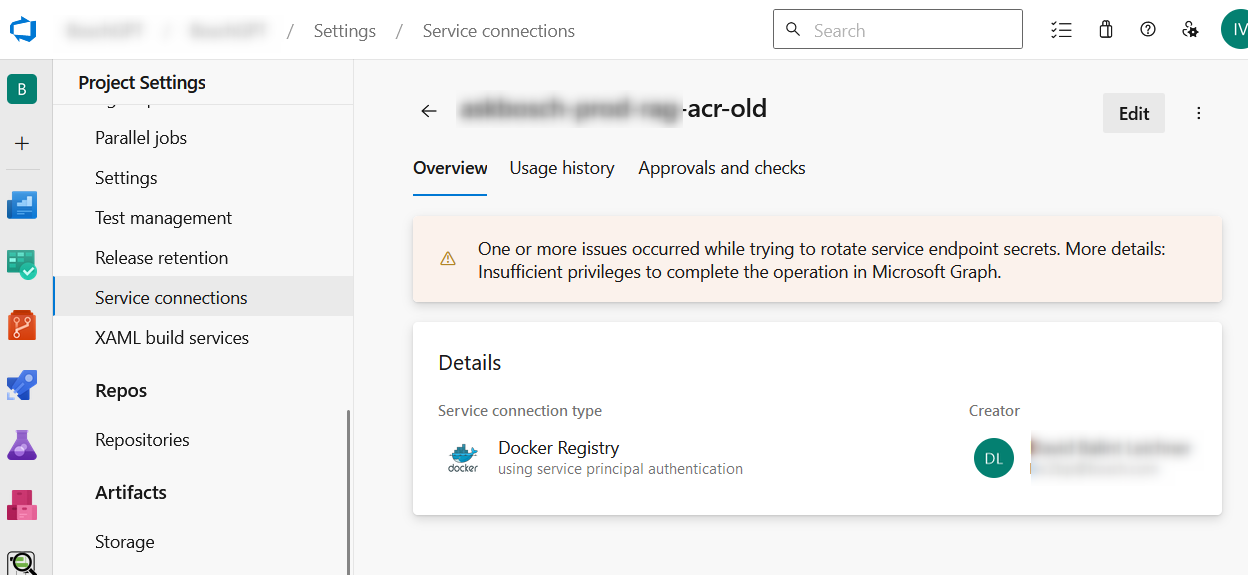
So where are the credentials stored? Quick reasearch and in Azure DevOps it’s common to define Service connections. Opening the properties page of the SC that the pipeline used for the push showed an error message: One or more issues occurred while trying to rotate service endpoint secrets. More details: Insufficient privileges to complete the operation in Microsoft Graph.
Great… so how do I fix that? The single thing one can do to a service connection is “Edit” it. According to this article, there must be a “Verify” button - but there was none. I the same article there’s a mention to do a dummy edit (e.g. update the description field) - tested it, didn’t work.
After scratching my head for a few moments decided to replace the connection. Renamed the old one to xxx-old then created a new one using the exact same settings. Re-ran the failed stage… and it failed again.
At that point I had no other ideas how to proceed. So put in some additional logging in the pipeline and ran it again - which worked! Hurray!
Analysis/speculation
Why did the pipeline fail in the first place and why did the re-run fail as well even with the new connection in place?
I can only speculate, but probably the initial error message was due to the creator of the Service Connection (DL - the previous DevOps guy, you can see him in the first picture) not being part of the organization anymore. Probably the automation that works behind the scenes tries to use his permissions to create a Service Principal or similar - which fails.
But why did the pipeline rerun failed? Again a speculation: The service connection is referred to in the pipeline by name. During initial pipeline run setup, the runner fetches the UUID of the service connection and caches it for consecutive runs, effectively still using the old connection. A new run looked it up again and that’s why it worked.
tags: